Skip the agency. Get a website you can change yourself.
Threadspage is a personal website that comes already built. Pay once, keep the code in your own GitHub, and run the site on your own domain. Posting, updating your bio, adding a language: none of it needs a new quote from anyone.
Pay once; Threadspage has no monthly fee. Questions go straight to the author.
Volume II — The trap
With an agency, the trouble usually starts after launch.
If you've paid someone to build a site before, these will sound familiar.
It isn't cheap
Agency quotes for a simple site often run into the thousands, and maintenance or redesigns are usually billed on top.
Every small edit means waiting
Swapping a photo or rewriting your bio means emailing them, then waiting until it fits into their schedule.
When the contract ends, so does the help
The site often sits on their server or under their account. Once the contract is over, you may not even be able to log in.
Volume III — Features
Create once, let it work for you.
Your videos stay on the platform; your posts live on your domain. Recorded videos become text, and every post gets its own URL and structured data that search engines and AI can read. Visitors can even ask your site questions.
# The video is already recorded. Turn it into a post
$ npm run import:youtube --url="https://youtu.be/VIDEO_ID"
→ Fetch captions, write the post ✓
$ npm run i18n:translate
→ Generate other language versions (each with its own URL) ✓

# Done automatically at build time
→ Update your AI twin's knowledge base ✓
→ Generate structured data · llms.txt · sitemap ✓

# All of it on your own domain
Turn YouTube videos into posts
You already recorded the video, so there's no need to write it again. Run one command on your computer (or let Claude Code run it for you) and the captions become a readable post with the video embedded.
Add languages with one command
Write a post once, then translate it into other languages. Each language gets its own URL that people can share and search engines can find.
Your domain, your content
The code is in your GitHub and the site is on your domain, so platform algorithms and policy changes don't get a say.
An AI twin that answers questions
Visitors ask questions on your site and the AI answers from what you've written, even at 3 a.m.
Volume IV — Getting started
From payment to a live site, all in your browser.
You need a GitHub account and a Vercel account. Nothing to install, no terminal, and the docs walk you through every step.
STEP 01
Buy
Check out with Stripe; your card details go straight to Stripe. Then enter your GitHub username.
STEP 02
Accept the invite
GitHub emails you an invitation automatically. Click accept.
STEP 03
Fork
Click Fork at the top right of the repo to get your own private copy.
STEP 04
Deploy to Vercel
Pick your fork in Vercel and click Deploy. Your site is live.
STEP 05
Connect your domain
Add your domain in Vercel and set up DNS as the screen tells you.
STEP 06
Write your first post
Write in your browser with Pages CMS. Save, and the site updates on its own.
Volume V — After launch
Plenty of things take one command.
Once your site is live, these jobs already have a command.
npm run import:youtube --url="https://youtu.be/VIDEO_ID"Turn a YouTube video into a post, with the video embedded.
npm run i18n:translateTranslate your posts into other languages, each with its own URL.
npm run new:post -- --title="My first post"Create a draft for a new post.
There are more commands in the docs. Importing videos and translating use your own AI API key.
Not comfortable with npm?
Open Claude Code or Codex, tell it what you want to do, and it will run the command for you.
Real sites
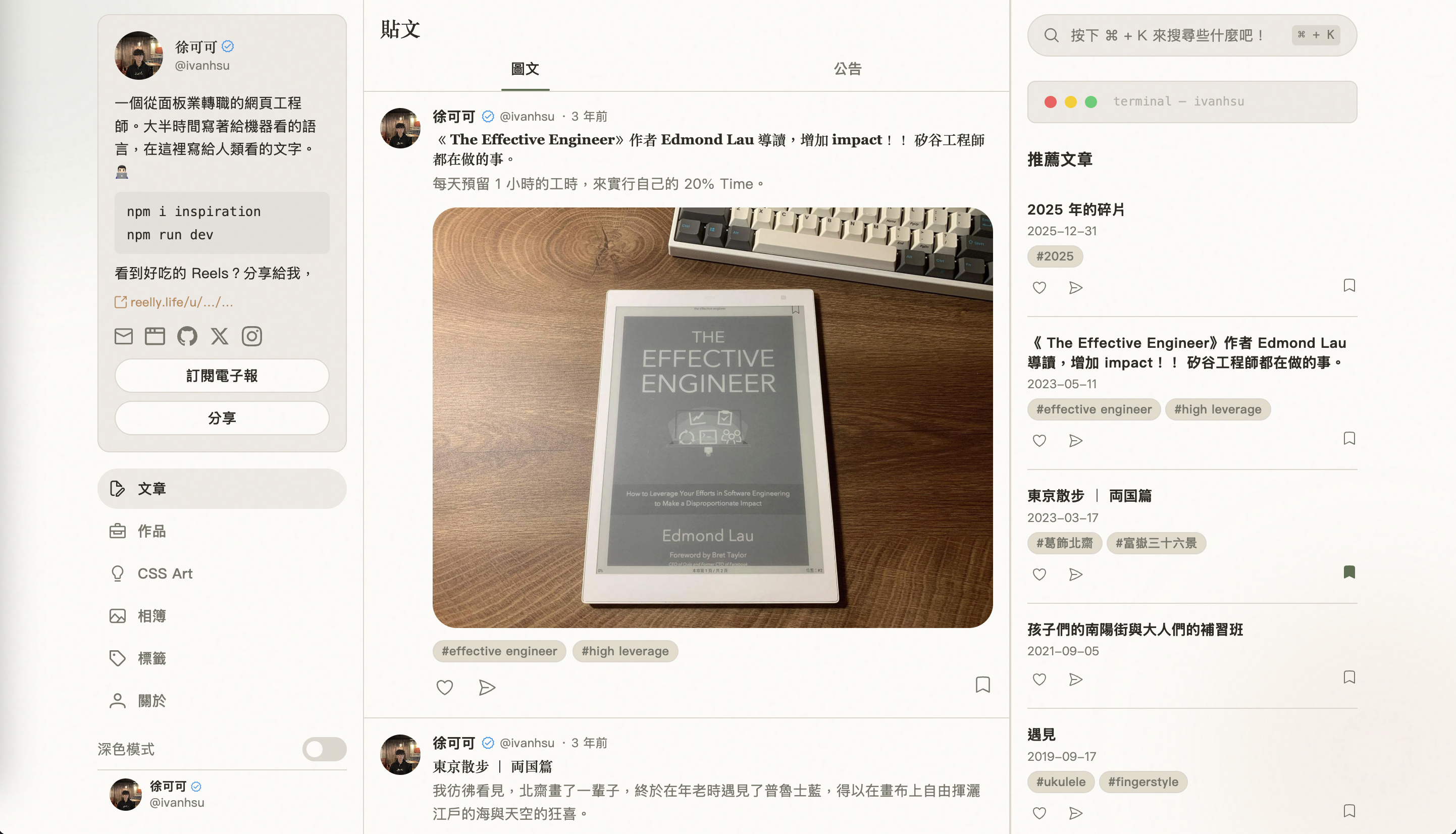
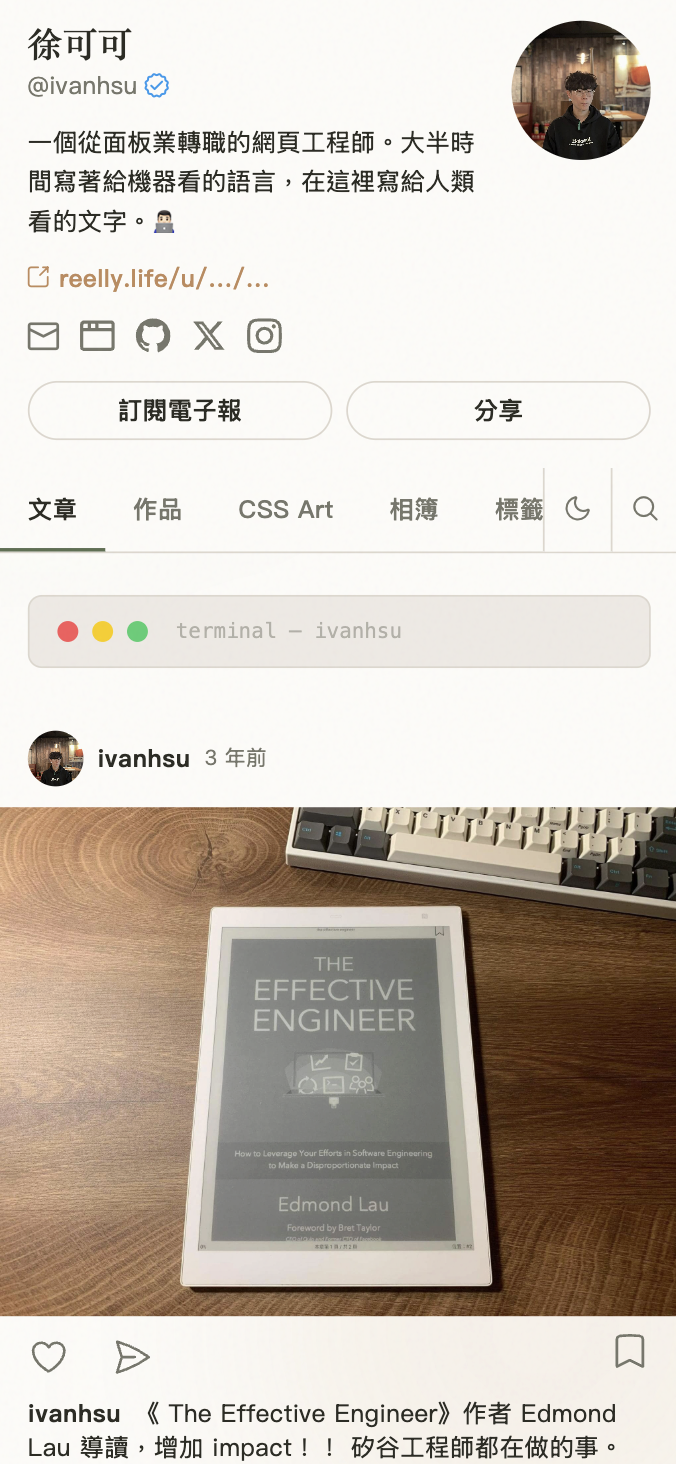
Two sites built with Threadspage.
Both are in use right now. Click through and look around.
- ivanhsu.coThe author's own site, with posts, projects and an AI twin.Visit site
- huanyinliu.comA guitar teacher's site. The owner isn't an engineer.Visit site
Or just ask it something.
The terminal below answers from this site's content. Once your site is live, your visitors get the same thing.
Volume VI — Compare
Hire an agency, or own the whole thing?
Either way you end up with a website. The difference shows up after it's delivered.
Hiring an agency
The site is done. Now what?
- Quotes often run into the thousands, and redesigns cost extra
- Content edits wait on their schedule
- The site often lives on their server or account
- When the contract ends, so does the upkeep
With Threadspage
The site is in your hands
- Pay once. Threadspage has no monthly fee
- Edit content in your browser, and it goes live when you save
- The code is in your GitHub, the site is on your domain
- When a new version ships, click Sync fork to update
Once the site is built, how it changes is up to you.
Pricing · Boilerplate
Buy once. A boilerplate that's entirely yours.
For creators and independent professionals who want to own their website. It comes with the full source code, which you're free to modify. Your content and domain stay yours.
SSG Boilerplate
One-time purchase, yours forever · no monthly fee from Threadspage
- The full source code, free to modify
- JSON-LD, llms.txt, sitemap and RSS generated automatically, so search engines and AI can read your site
- Posts, projects, CSS art and galleries managed in one format
- A built-in AI Terminal where visitors can talk to your AI twin
- Built-in commands for importing YouTube videos and translating posts
- Future updates through GitHub's Sync fork
License: use it for your own site, including commercial use, and modify it as you like. You may not resell or redistribute it, or use it to build sites for other people.
By purchasing, you agree to the Purchase and License Terms.
Checkout is handled by Stripe, the same payment platform Amazon, Google and Shopify use. Your card details go straight to Stripe and never pass through this site's servers.
After payment, enter your GitHub username and we'll invite you to the private repo. Stripe sends the receipt. Domain and hosting are billed separately; a commercial site needs Vercel Pro.
Volume VII — Questions
Frequently asked questions
Things you might want to know before buying.
Can I use it if I don't code?
Yes. Getting the site up happens on the GitHub and Vercel websites, following the docs step by step, and you write posts in Pages CMS, which works much like a regular blog dashboard. It does help to know the basic Git concepts first: what a repo, a fork, git add, commit, push, pull and a conflict are. You don't need to write code; knowing what these words mean is enough, and it makes syncing updates or asking AI to change things much smoother. If you get stuck, email me.
How is this different from hiring an agency?
An agency builds a website for you. Threadspage is a website that's already built and handed to you to run. The content, code and domain all sit under your own accounts, so later changes don't require hiring anyone. The trade-off is that you do the work yourself. Getting the site up and writing posts just means following the docs. Changing the site itself, such as the layout, the styling or adding features, takes some basic web development knowledge, plus an AI tool like Claude Code to help.
How is this different from a site builder like Wix?
Wix is easy to pick up: you drag things into place, and its SEO tools are solid. The differences come down to three things. First, where the site lives: a Wix site stays on Wix and can't be moved to another host as a whole, while Threadspage's code lives in your own GitHub. Second, who it's built for: Threadspage is made for people who write and make videos, so turning YouTube videos into posts, separate URLs for each language, and structured data and llms.txt for every post are built in, with no plugins or setup. Third, how you pay: Wix is a monthly or yearly subscription; Threadspage is a one-time purchase, though your domain, hosting and AI usage are separate (see "What else will I pay for besides the purchase?"). If what you want is a brochure site whose layout you can rearrange by dragging, Wix may suit you better.
What else will I pay for besides the purchase?
You buy your own domain, usually billed yearly. Hosting is on Vercel: personal, non-commercial sites can use the free plan, but Vercel's terms require the paid Pro plan for commercial use. The AI twin, YouTube import and translation use your own AI API key and are billed by usage, so set a monthly spending limit in your provider's dashboard first. These AI features are all optional, and the site works fine without them.
Is paying with Stripe safe?
Stripe is one of the most widely used online payment platforms in the world. Amazon, Google, Shopify and OpenAI take payments with it, and so do many solo founders and indie developers. It is certified PCI DSS Level 1, the highest security standard in the card industry. When you enter your card on Stripe's checkout page, the details go straight to Stripe and are never passed through or stored on Threadspage's servers. Stripe also emails you the receipt.
Can I change the layout myself?
Yes, the code is yours, though it takes some web development knowledge; an AI tool like Claude Code can help. If you only touch the config file and your content, future updates won't conflict. If you edit core files, Sync fork may run into conflicts that you'll need to resolve yourself.
What does the license allow?
You can use it for your own site, including commercial use, and modify the code. You can't resell, redistribute or sublicense it, or use it as a template or site-building service for other people. Full details are in the Purchase and License Terms.
Can I get a refund?
The product is digital content supplied as soon as you pay, so the 7-day right of withdrawal does not apply. The only case in which we refund: if, after the author provides technical support, you still cannot get access to the boilerplate repo and complete the fork, we refund you in full. Otherwise, purchases are non-refundable. See the Purchase and License Terms.
Will AI actually cite me?
No tool can guarantee that an AI will cite you. That decision happens on the model's side. What Threadspage does is give your content what it needs to be citable: structured data, formats AI can read, and your own domain. It's like SEO. Doing it well doesn't guarantee first place, but skipping it makes you much harder to find.
Volume VIII — Contact
Any questions? Reach out anytime.
Want to check details before buying, or ran into trouble during setup? Email or DM me and I'll reply personally.
Replied personally by the author · usually within one business day